Viewing maternity patients registered to a provider
You can view maternity patients registered to the currently logged-in provider. A patient remains on the list until a delivery date is entered in her prenatal visit record. From this window, click a patient to open her prenatal record.
In the provider WorkDesk Tasks tab, under the Patient Status heading, click Maternity Patients Registered.
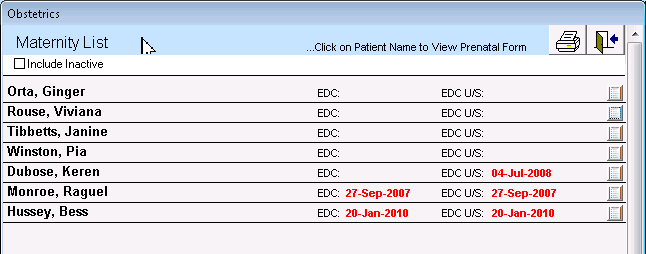
Only active patients are included by default. Select the Include Inactive Patients to include all patients. ]
© 2018 